Reporting
Teams use reports for two different jobs: reviewing the outcome of a run and investigating what happened when a scenario fails. Serenity/JS provides reports for sharing results with the team, while Playwright's HTML reports, UI Mode, and Trace Viewer remain available for examining execution detail. The table below helps you choose which view to use.
| Report or tool | Use it when | What it provides |
|---|---|---|
| Serenity/JS HTML Reporter | You need the recommended report for most teams | A self-contained dashboard with trend history, flaky-test detection, error clustering, and no Java requirement |
| Serenity BDD Reporter | Your team already uses Serenity BDD or prefers its multi-page format | Narrative documentation generated by the Serenity BDD CLI |
| Playwright HTML reports, UI Mode, and Trace Viewer | You are diagnosing a run or inspecting execution detail | Native Playwright views enhanced with Serenity/JS Screenplay activities and screenshots |
All options work with classic Playwright Test scenarios and those using the Screenplay Pattern. The Configuration guide explains how to register the Serenity/JS adapter and the Crew Members required by each reporter.
Serenity/JS HTML Reporter
The HTML Reporter is the recommended reporting option for most teams. It produces a self-contained report automatically at the end of each test run — no separate generation step, no Java, no additional dependencies.
import { defineConfig } from '@playwright/test';
import type { SerenityFixtures, SerenityWorkerFixtures } from '@serenity-js/playwright-test';

export default defineConfig<SerenityFixtures, SerenityWorkerFixtures>({
    testDir: './spec',

    reporter: [
        ['line'],
        ['@serenity-js/playwright-test', {
            crew: [
                '@serenity-js/console-reporter',
                ['@serenity-js/html-reporter', {
                    specDirectory: './spec',   // same as testDir — enables the Capabilities view
                }],
            ]
        }],

        // Optional: keep the built-in Playwright HTML reporter for low-level debugging
        ['html', { open: 'never' }],
    ],
});
After running npx playwright test, open reports/serenity-js/index.html in your browser, or serve it locally:
npx @serenity-js/html-reporter serve --open

→ Learn more: HTML Reporter guide | CI integration
Playwright HTML reports
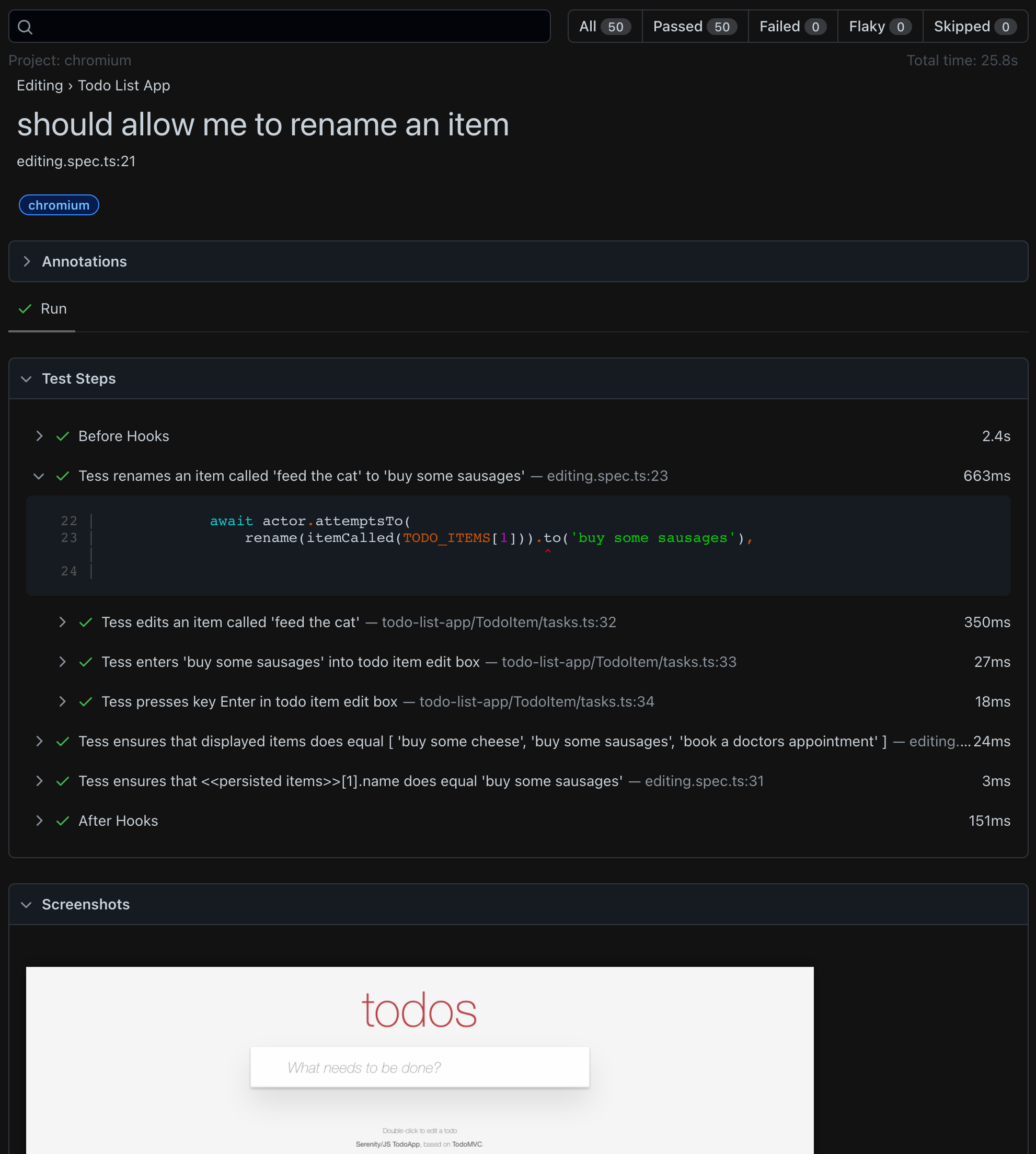
Serenity/JS automatically enhances the built-in Playwright HTML reports with information gathered from your test activities. When you use the Screenplay Pattern APIs, the reports show additional detail — named steps, activity trees, and timing breakdowns.
To enable it, add the Playwright HTML reporter alongside the Serenity/JS reporter:
reporter: [
    ['@serenity-js/playwright-test', { /* ... */ }],
    ['html', { open: 'never' }],
],
Playwright Test UI Mode
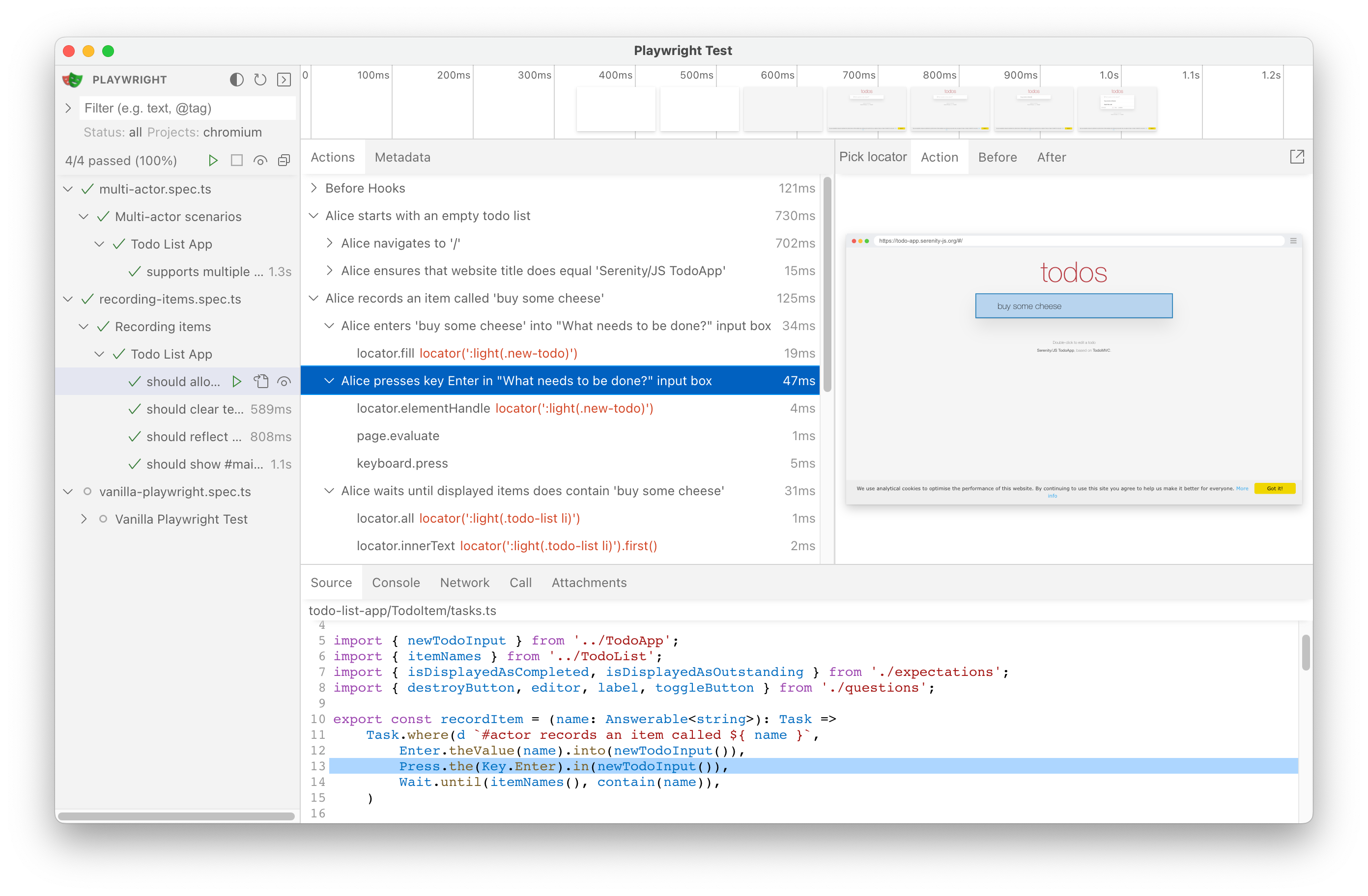
Serenity/JS integrates with Playwright Test UI Mode, displaying Screenplay Pattern activities in the test runner interface.
To use Playwright Test UI Mode, run the following command in your Playwright Test project:
npx playwright test --ui
Using Playwright Test Trace Viewer
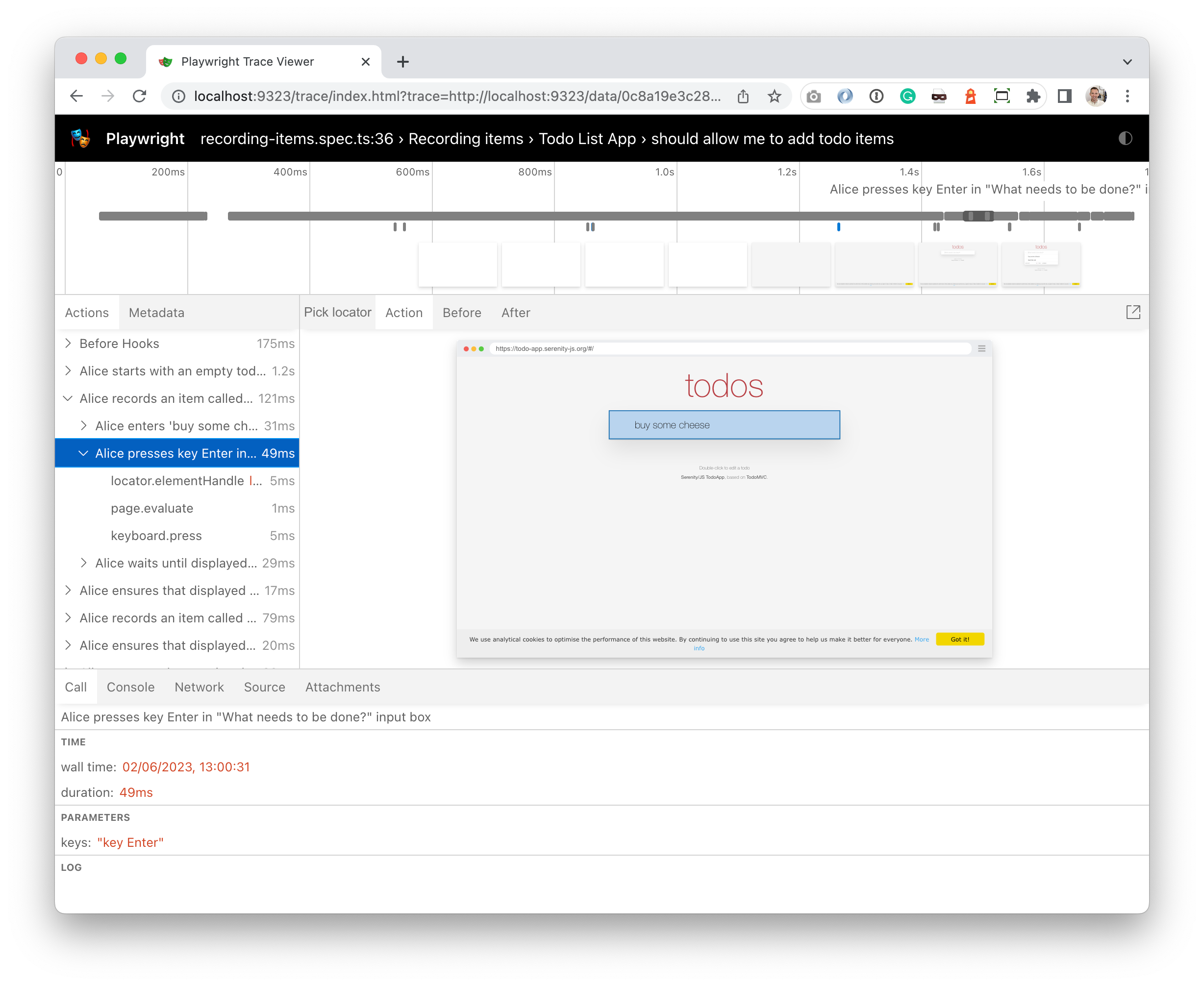
Your Screenplay Pattern activities automatically appear in the Playwright Test Trace Viewer.
To use this feature, you need to:
- Use the Screenplay Pattern APIs in your Playwright Test scenarios.
- Enable tracing in your
playwright.config.tsfile.
import { defineConfig } from '@playwright/test'
import type { SerenityFixtures, SerenityWorkerFixtures } from '@serenity-js/playwright-test'

export default defineConfig<SerenityFixtures, SerenityWorkerFixtures>({
  use: {
    trace: 'on-first-retry',     // or 'on', 'retain-on-failure'
  },
})
Serenity BDD Reporter
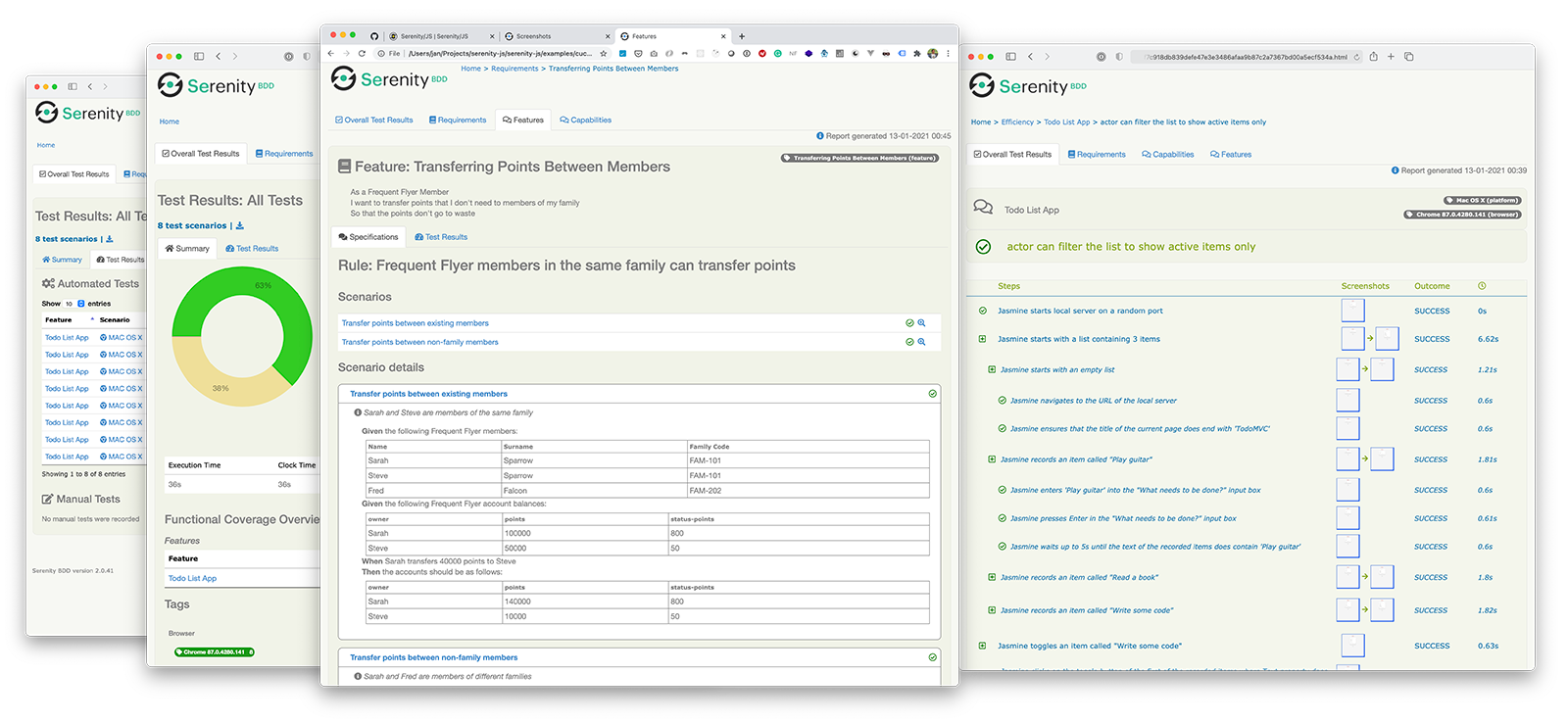
If your team already uses Serenity BDD or prefers its multi-page report format, you can use the Serenity BDD Reporter instead of (or alongside) the HTML Reporter.
Serenity BDD reports are generated by the Serenity BDD CLI,
a Java program that ships with the @serenity-js/serenity-bdd module.
To generate Serenity BDD reports, configure your crew as follows:
import { defineConfig } from '@playwright/test';
import type { SerenityFixtures, SerenityWorkerFixtures } from '@serenity-js/playwright-test';

export default defineConfig<SerenityFixtures, SerenityWorkerFixtures>({
    reporter: [
        ['@serenity-js/playwright-test', {
            crew: [
                '@serenity-js/console-reporter',
                ['@serenity-js/serenity-bdd', { specDirectory: './spec' }],
                ['@serenity-js/core:ArtifactArchiver', { outputDirectory: './target/site/serenity' }],
            ]
        }],
    ],
});
Then add the following scripts to your package.json:
{
  "scripts": {
    "clean": "rimraf target",
    "test": "failsafe clean test:execute test:report",
    "test:execute": "playwright test",
    "test:report": "serenity-bdd run --source ./target/site/serenity --destination ./target/site/serenity"
  }
}
This requires additional dependencies:
- npm
- Yarn
- pnpm
npm install --save-dev @serenity-js/serenity-bdd npm-failsafe rimraf
yarn add --dev @serenity-js/serenity-bdd npm-failsafe rimraf
pnpm add --save-dev @serenity-js/serenity-bdd npm-failsafe rimraf
→ Learn more: Serenity BDD Reporter guide | Migrating to the HTML Reporter
You can run both the HTML Reporter and Serenity BDD Reporter simultaneously — they collect data independently and write to different directories. See Running both reporters together.
What you learnt
- The Serenity/JS HTML Reporter is the simplest way to get rich reports — no Java, no extra scripts, automatic generation.
- Serenity/JS automatically enhances Playwright HTML reports, UI Mode, and Trace Viewer with Screenplay Pattern details.
- Serenity BDD reports are available for teams that need Java-based living documentation.
- Both Serenity/JS reporters work alongside native Playwright reporting tools.
Next step
Learn about the integration architecture to understand how Serenity/JS works with Playwright Test under the hood.
